JRNY Workout
Generator
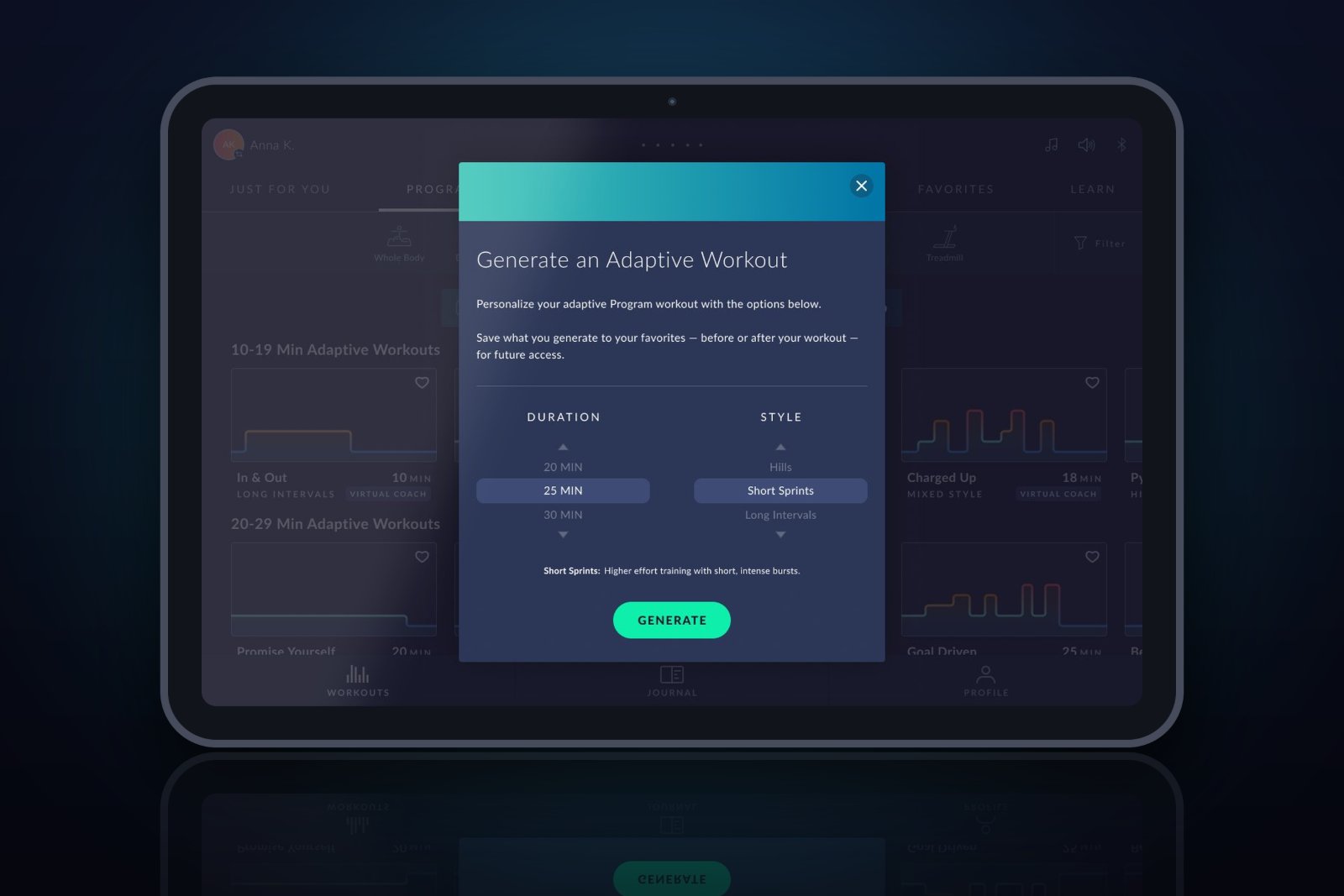
Letting JRNY users create their own adaptive Program workouts, so when the perfect workout doesn't already exist in the library, they can generate exactly what they're looking for.
The Short Version
The Problem
The Program library couldn't always have exactly the workout a user wanted. There was no way for users to get a tailored adaptive workout on demand.
My Approach
Designed the generator flow, decided where it lives in the app, defined the one-generation-at-a-time scope, and solved how users discover they can save the workouts they love.
The Outcome
Users can now generate custom adaptive workouts by duration and style, discoverable in two key places, and saveable to favorites when they find one they love.
Context & Problem
When the perfect workout
doesn't exist yet
JRNY offers a library of Program workouts for compatible cardio machines: individual adaptive workouts that adjust to each user's output. But a curated library, no matter how large, can't cover every possible preference. Sometimes a user wants something specific, like a quick 15-minute hill workout, or 45 minutes of long intervals, and it simply isn't there.
The solution: a Workout Generator that lets users create their own adaptive Program workouts on demand. Instead of hunting for the right workout, they describe what they want and the app generates it.
"We can't possibly have every workout a user might be hoping to find. The generator turns that gap into an opportunity: the user becomes the author of their own workout."
The generator lets users select a duration (5-minute increments up to 60 minutes) and a workout style: warm up, cool down, short sprints, long intervals, hills, mixed, or simple.
Problems to Solve
Three big questions
to answer
The feature itself was clear. The hard UX work was in the details: three questions that would shape the entire experience:
Where it lives
- Which entry points?
- When is it available?
- How do users discover it?
The flow
- Generate once or repeatedly?
- What does the flow feel like?
- How much friction is right?
Saving workouts
- Save all, or only favorites?
- How do users learn they can save?
- Where do saved ones live?
JRNY runs on iOS, Android, and embedded screens on BowFlex cardio equipment, and this feature needed to work consistently across all three.
Where It Lives
Two entry points,
one clear rule
I placed the generator in two complementary locations, each serving a different mindset:
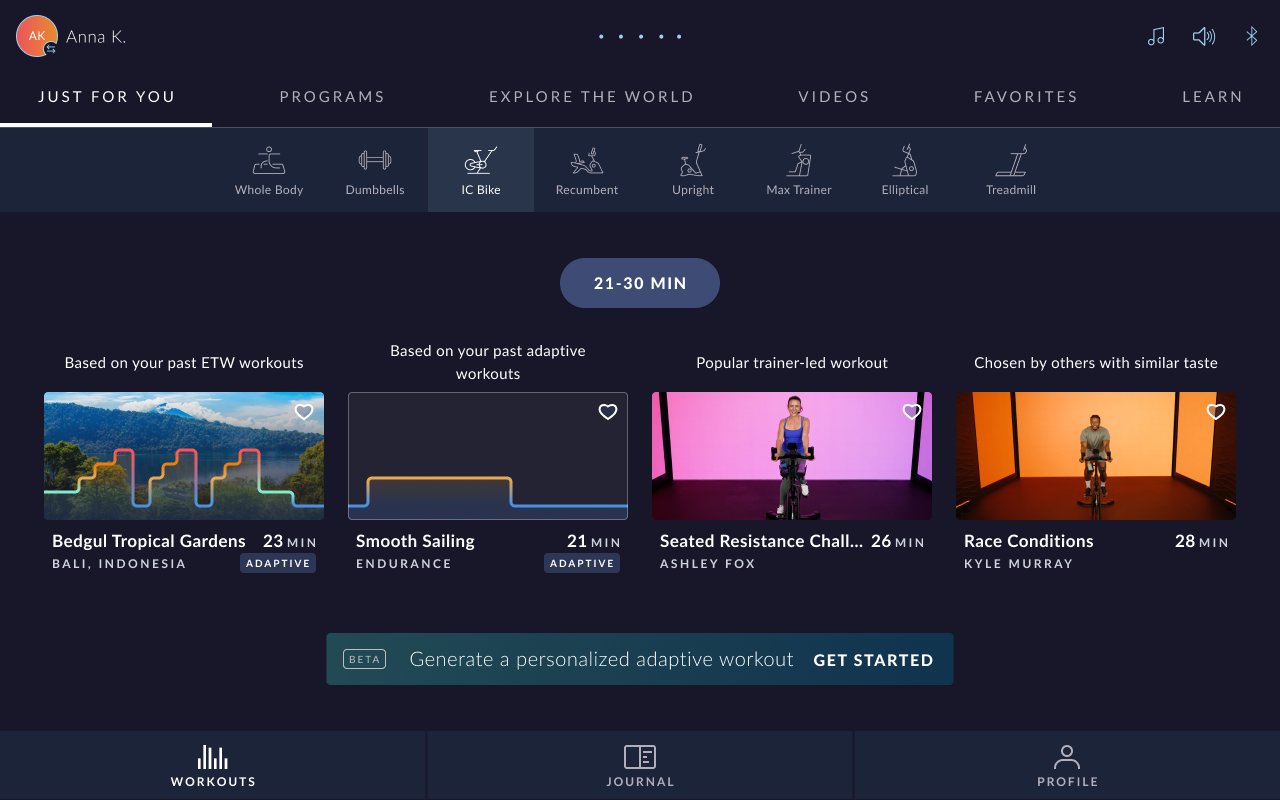
- The "Just For You" landing page, for users who arrive open to suggestions and want something tailored without browsing.
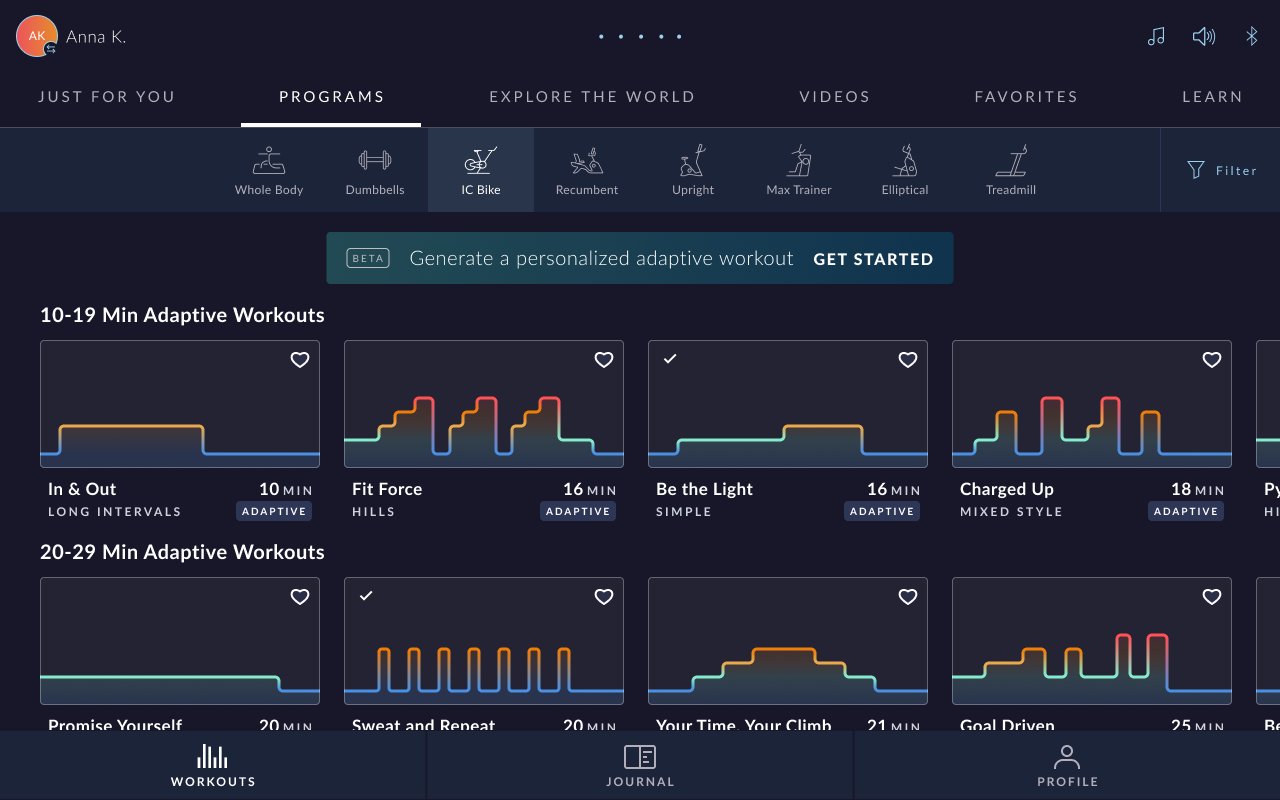
- The Programs tab, alongside the other adaptive Program workouts, where users who are already browsing Programs would naturally expect to find it.
The key constraint: the generator only produces workouts for cardio machines, so it's only shown when a cardio machine is selected from the menu. For non-cardio equipment, it's hidden entirely: no dead ends, no disappointment.
Just For You
Programs
The Generator Flow
Simple inputs,
tailored output
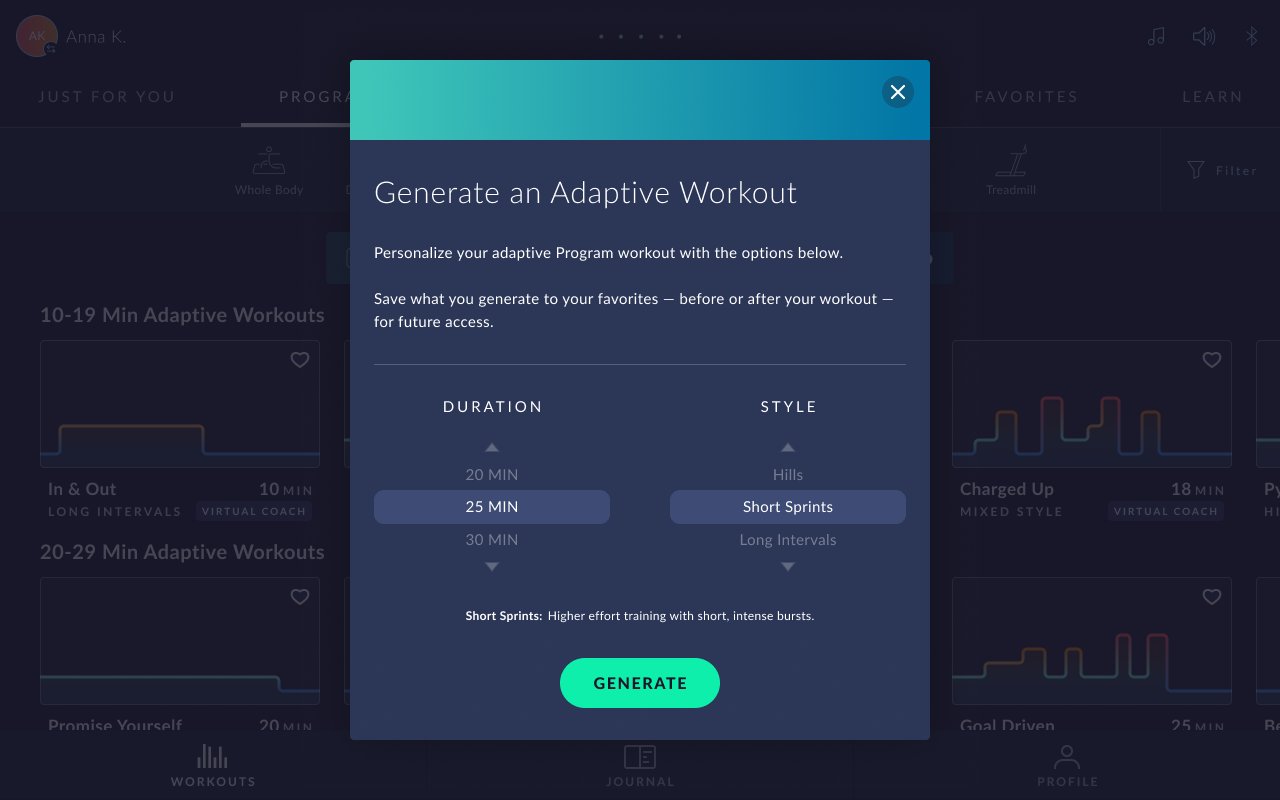
The generator flow is deliberately simple: pick a duration, pick a style, generate. Two inputs, one result. The goal was to make creating a custom workout feel faster and easier than scrolling the library to find an imperfect match.
Duration
Selectable in 5-minute increments, up to 60 minutes. Familiar, constrained, and quick to set: no free-text entry, no decision paralysis.
Workout Style
Seven options: warm up, cool down, short sprints, long intervals, hills, mixed, and simple. Each maps to a distinct adaptive brickyard shape and intensity profile.
Generate once, not repeatedly. One of the biggest flow decisions was whether to let users regenerate over and over within the same flow, or only once. For the first iteration, I scoped it to a single generation at a time, keeping the experience focused and the engineering effort contained, with room to expand later based on real usage.
Saving Workouts
Keep the ones
you love
Not every generated workout is a keeper, and we didn't want to clutter users' libraries by auto-saving everything. The decision: let users save only the ones they like, by favoriting them.
But that introduced a discovery problem: how does a user know they can save a generated workout at all? A save option that no one finds is the same as no save option. I solved this with two carefully placed touchpoints:
01
Mentioned in the generator modal
Before the workout even begins, the generator modal tells users they'll be able to save it, setting the expectation early, in context.
02
One-time post-workout popup
After completing a generated workout, a one-time popup modal reminds users they can save it. Shown once, so it informs without becoming a nuisance.
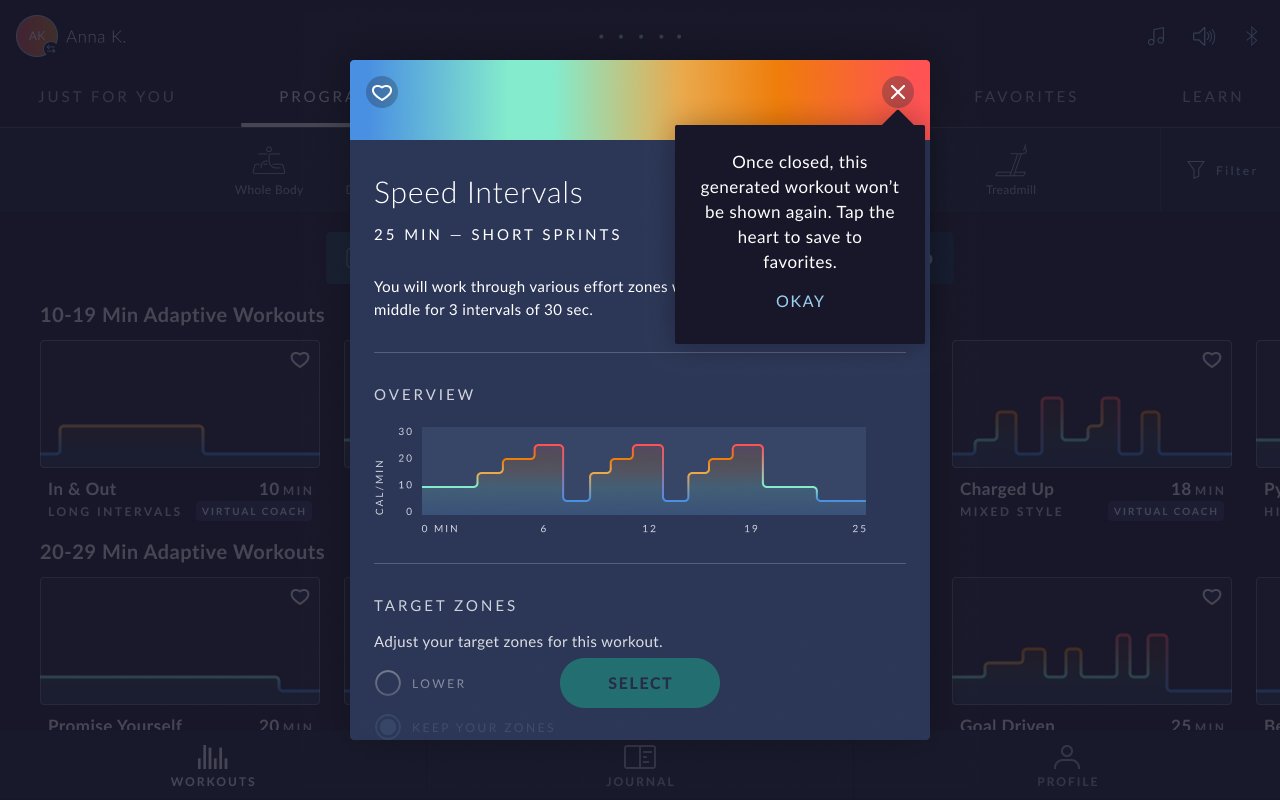
In the Generator Modal
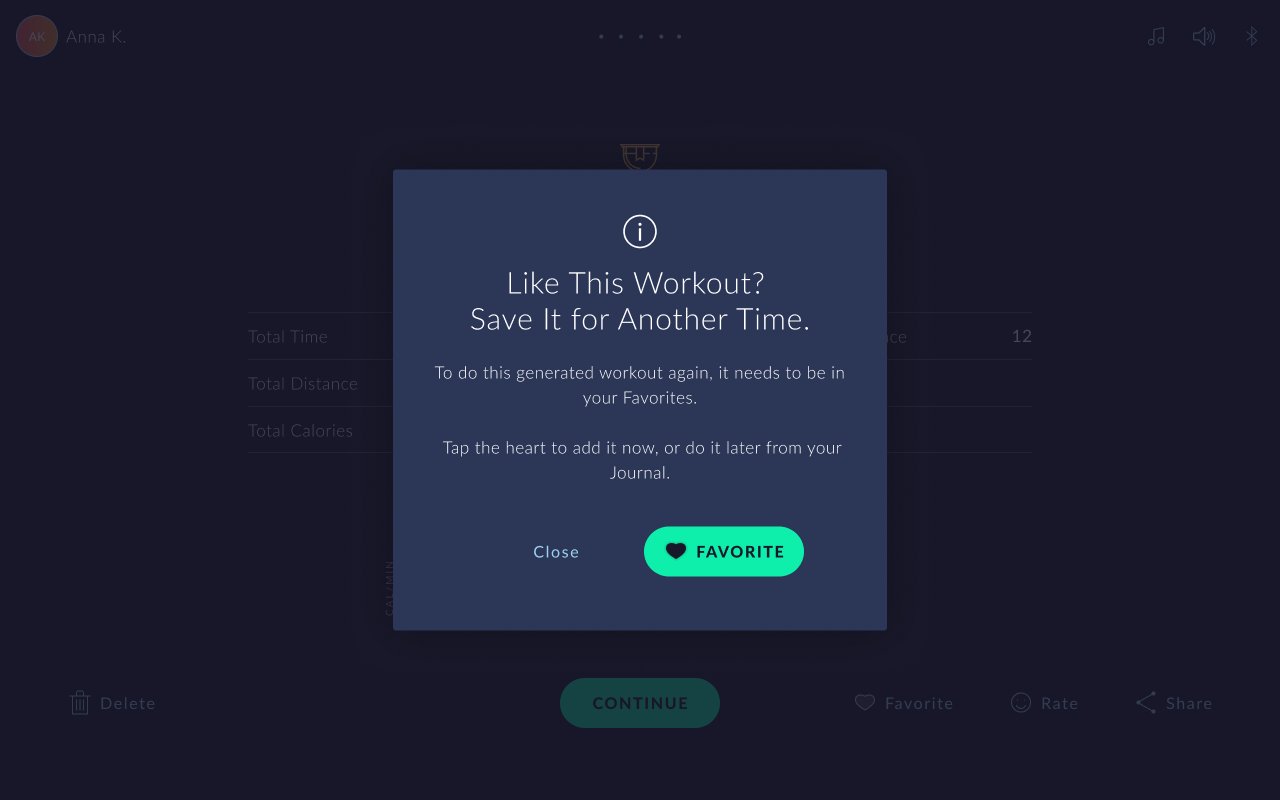
Post-Workout Popup
Favorites as the home for saved workouts. Users save a generated workout by favoriting it, and it lives in their Favorites, right alongside their other saved content. If they change their mind, they can unfavorite it to remove it. And because the workout is always recorded in their Journal, they can re-favorite it from there anytime, so a saved workout is never truly lost.
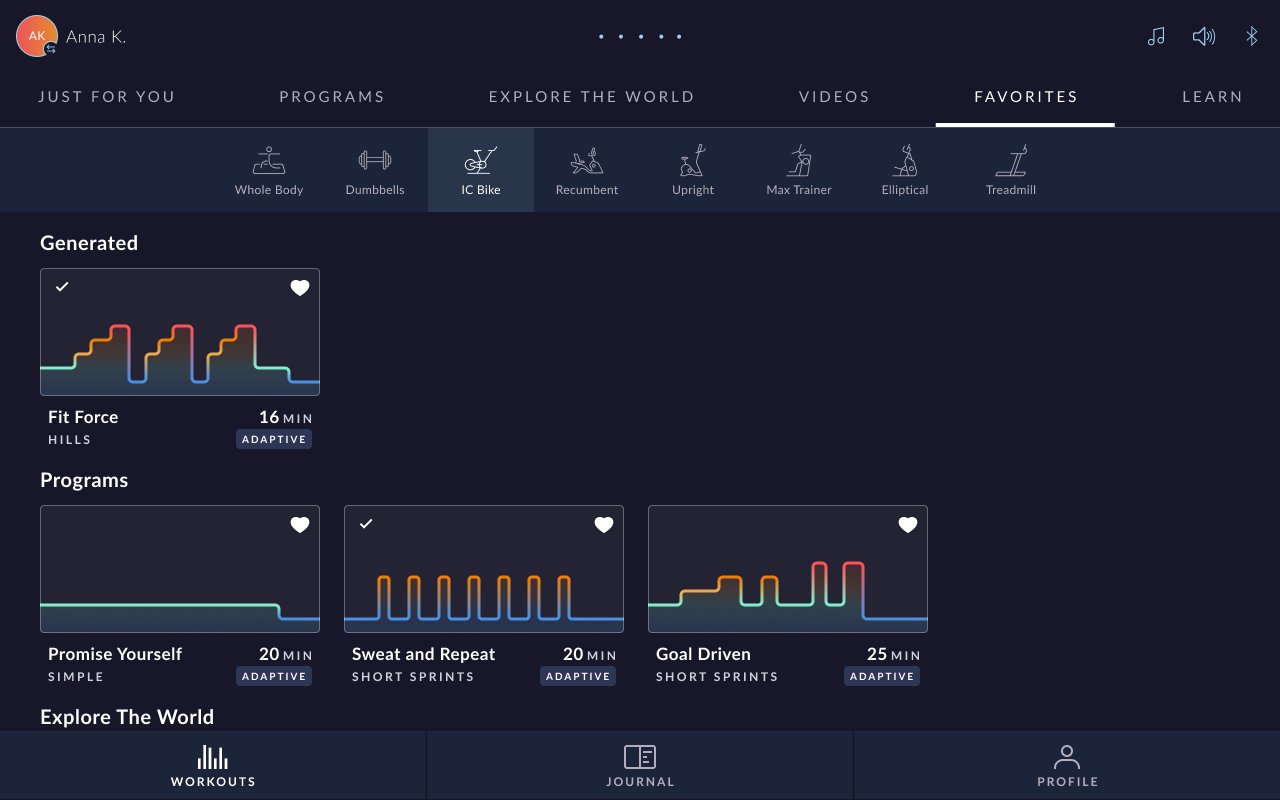
Favorites
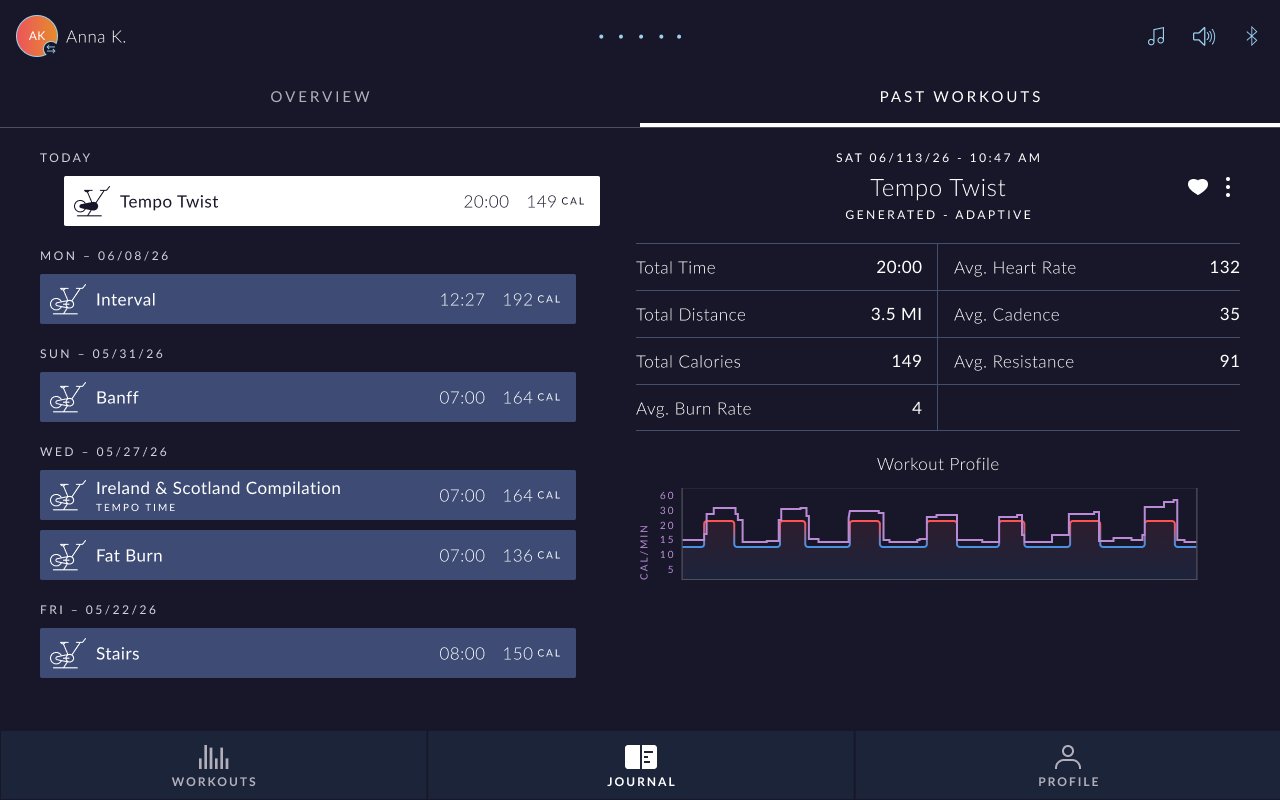
Journal
Reflection
Scoping for the first
iteration, intentionally
Placement is a feature decision, not an afterthoughtChoosing two entry points, and the rule that they only appear for cardio machines, was as important as the generator itself. A great feature in the wrong place gets missed. Meeting users in both the "suggest something for me" and "I'm browsing Programs" mindsets maximized discovery.
Constraints make a stronger first releaseLimiting to one generation at a time, and saving only via favorites, kept the first iteration focused and shippable. It would have been easy to over-build: infinite regeneration, auto-save, complex management. Scoping tightly let us ship, learn, and expand deliberately.
Discoverability needs deliberate designThe ability to save was useless if users didn't know it existed. Solving that with a modal mention plus a one-time post-workout popup, informative but not naggy, was a small detail that made the whole save feature actually usable.